Introduction
I have recently experimented with methods for configuring my home network. I tried bash scripts, Ansible and Puppet, but was not satisified with any of these approaches. I then discovered NixOS. It quickly spread throughout my home network.
Installing NixOS on a Raspberry Pi
My first NixOS infection occurred when I decided that rather than purchasing an expensive NAS1, I would build my own using an old Raspberry Pi 42 and an 8 TB SSD3 purchased just before storage costs skyrocketed. I had previously used Ubuntu4 on this Raspberry Pi but this time decided to try NixOS instead. Within two hours, my Raspberry Pi was booting NixOS with ZFS5 and NFS6 creating multiple file shares7. I had created a functional NAS in two hours! And since I used NixOS, the entire configuration of the system was stored in two files (configuration.nix and hardware.nix), which I configuration-managed in git8. Very cool!!
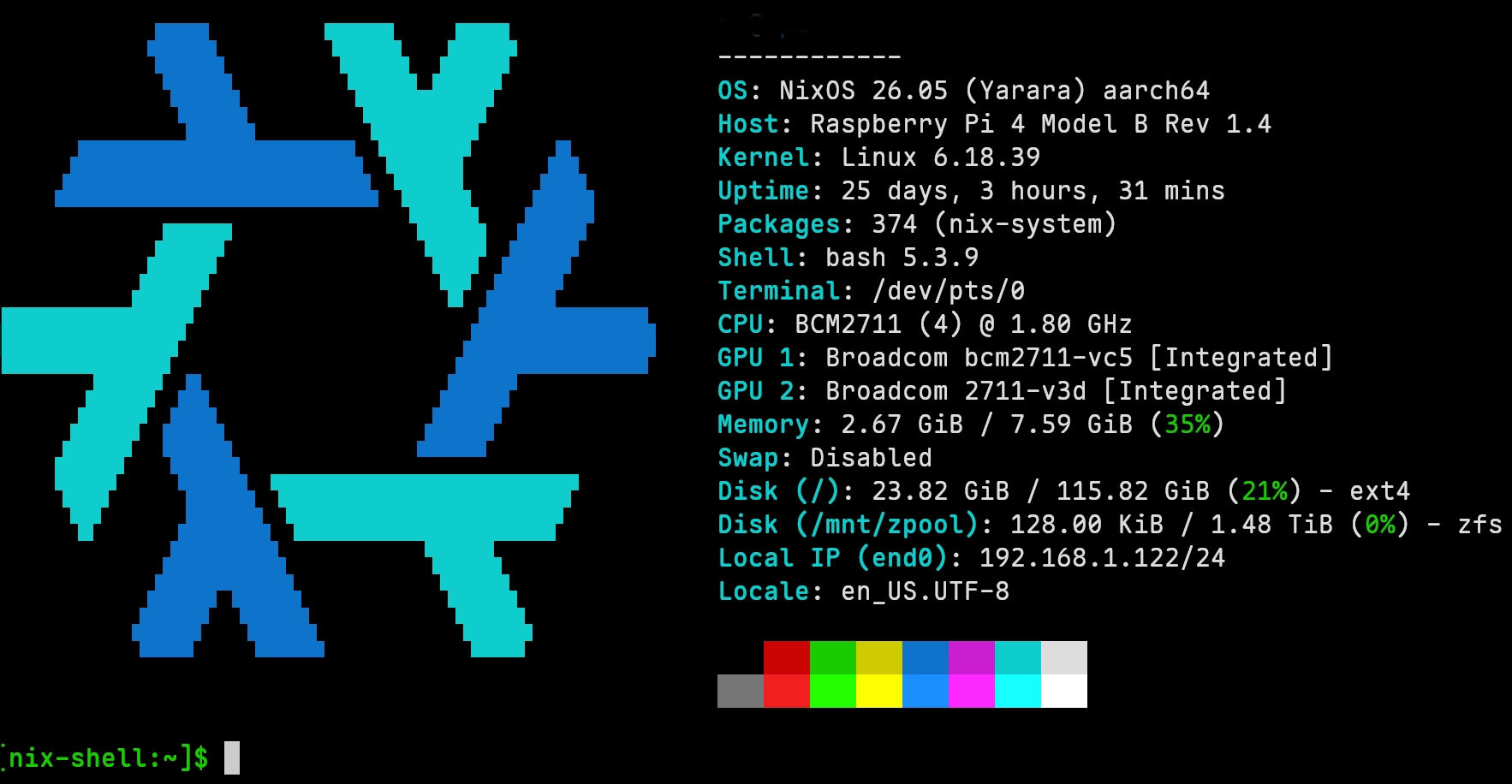
NixOS Running on Raspberry Pi 4
What is NixOS?
NixOS is a Linux distribution with unique characteristics and capabilites:
- NixOS setup and configuration is “declarative”. In a typical Linux distribution, programs are installed using a package manager11. The OS is configured by modifying configuration files12. After awhile, it is hard to remember all the modifications that were made to the off-the-shelf OS. With NixOS however, the entire OS (packages, configuration, etc) is “declared” in a set of text files using the Nix language. These files can be configuration managed13, and can be reused to configure multiple machines.
- A NixOS install is “reproducible”. Because the entire OS configuration is stored in source-controlled text files, reinstalling will result in an identically configured machine.
- Easy rollback to prior configurations. For a tinkerer like me, this is a very useful feature!
My New Lapop – Infected!
I purchased a new Lenovo Thinkpad X1 Carbon laptop just before RAM14 and storage skyrocketed. This laptop came with Windows pre-installed, but I shrunk the Windows partition and installed Arch Linux, documenting every step of the install process. But I knew from past history that I would continue to tinker with the Arch configuration, and would forget to document these tinkerings. After my good experience with using NixOS to create a Raspberry Pi-based NAS, I decided to wipe Arch and installed NixOS on my new Lenovo Thinkpad. Within a few short days, I had the laptop booting from a LUKS15 encrypted disk partition into the Hyprland16 desktop running on top of Wayland17 graphics. I am managing my .config files using NixOS Home Manager, and have installed multiple flatpaks18 using NixOS. Better yet, I set up a NixOS configuration file structure so that I could share configurations across multiple systems. With, of course, the entire setup configuration-managed in git.
Server Infection
I use an Intel NUC10 13th generation as a home server. The NUC originally ran Incus19 under Ubuntu. Within Incus, I created multiple virtual machines9. And within those virtual machines, I ran a bunch of servers within podman20 containers (example: Gitea, Nextcloud, Dokuwiki, Silverbullet, Caddy, Podgrab, etc - with automated backups to my NAS). Last fall I replaced Ubuntu on the NUC 13 with IncusOS21, which worked very well for me. But I was a bit frustrated by how locked down IncusOS is (great for a production system, but not for tinkering). I recently discovered that my IncusOS installation had not been auto-updating since last November, and when I tried to fix this, it would not reboot. So I overwrote the NUC 13 with NixOS.
I was quickly able to install Incus on top of NixOS. I created a template NixOS VM, and deployed multiple NixOS VM instances running within Incus on the NixOS-based NUC 13. I then recreated the podman containers using Podman Quadlets22, and managed the secrets23 for these containers using SOPS/AGE. And all of this is done declaratively in Nix configuration files.
NixOS appears to be the holy grail that I’ve been searching for. Over the past two years, I’ve experimented with using the following technologies to manage my home network: Custom bash24 scripts, Ansible25, Puppet26, Ansible again, more custom bash scripts, and now NixOS. I believe that Nix provides the flexibility I’ve been looking for, along with the ability to easily CM my home server configuration.
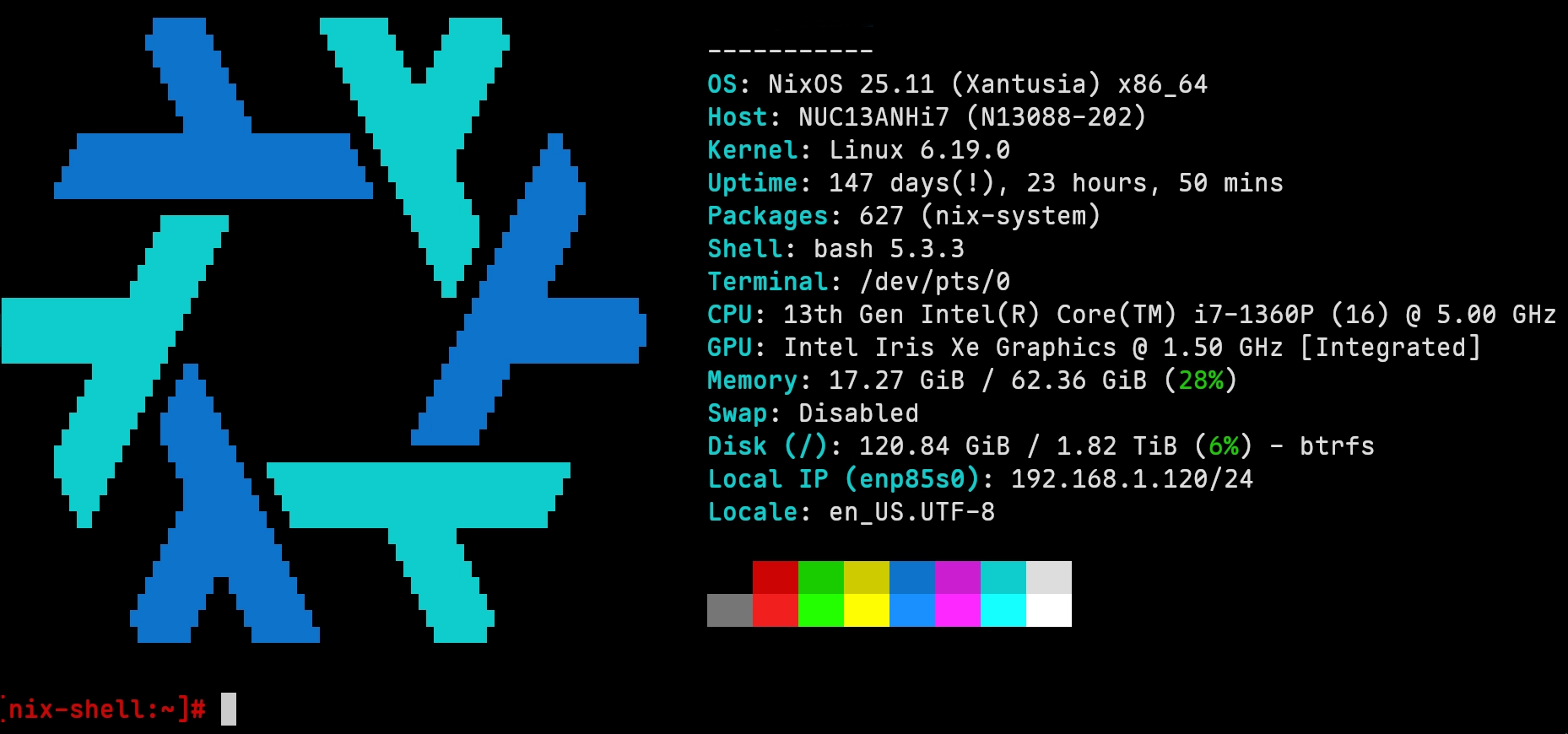
NixOS Running on Intel NUC 13
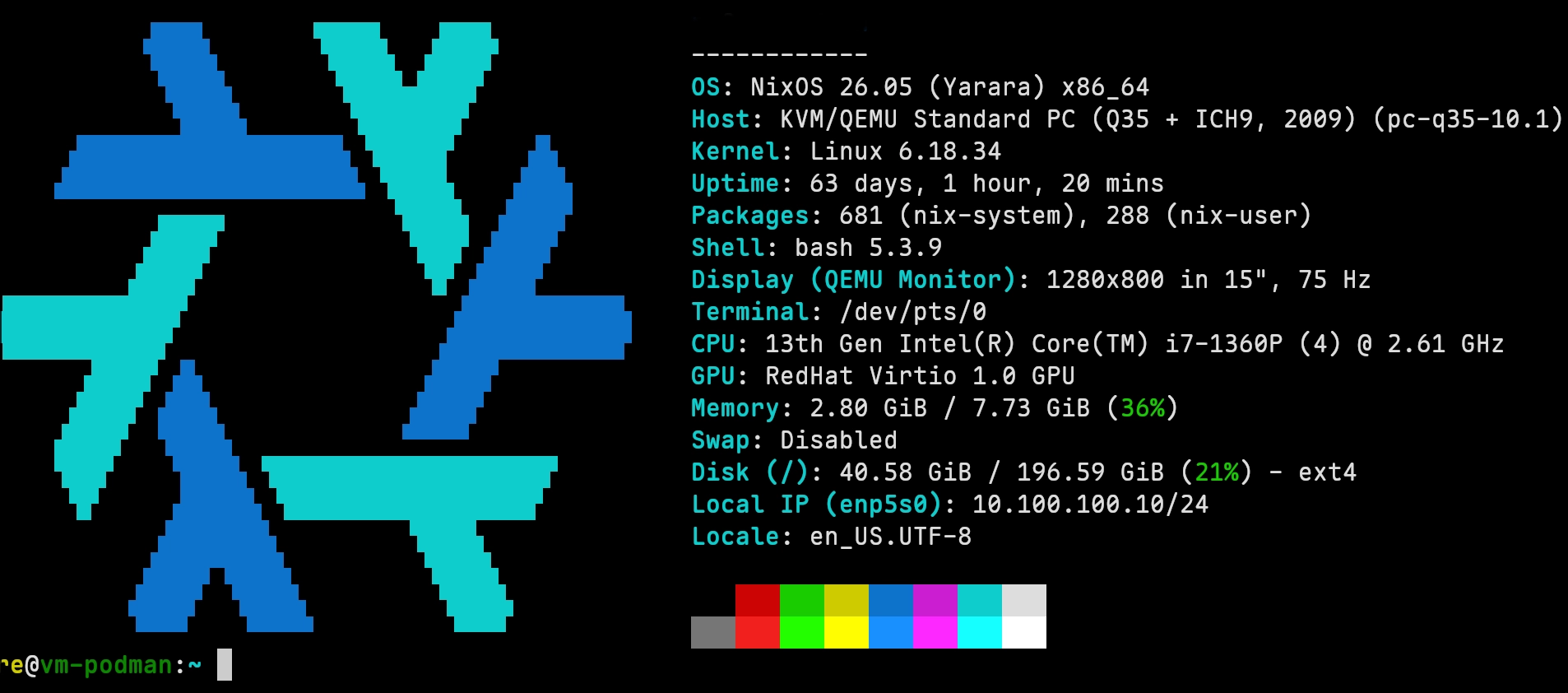
NixOS Running within Incus VM
Infecting my Daily Driver Arch-based Laptop
Nix is the package manager for NixOS. Interestingly, Nix can be run on non-NixOS systems. So I installed it on my daily driver Arch Linux laptop. What was the point? Nix provides a very cool feature where you can declaritively set up a development environment. For instance, I use a bunch of tools to build this blog: hugo, imagemagik, Bitwarden Secrets Manager, github, Cloudflare tools, awscli, etc. These tools require custom configuration. By creating a file called “shell.nix” in the blog home directory, as well as creating a file “.direnv” in the same directory, Nix will automatically install all required packages (versions can be locked) and set all necessary environment variables each time I cd into the blog directory. Very cool!!
And I lived with the Nix package manager running on Arch Linux for a few weeks. But then I decided to just install NixOS on my daily driver. No regrets!
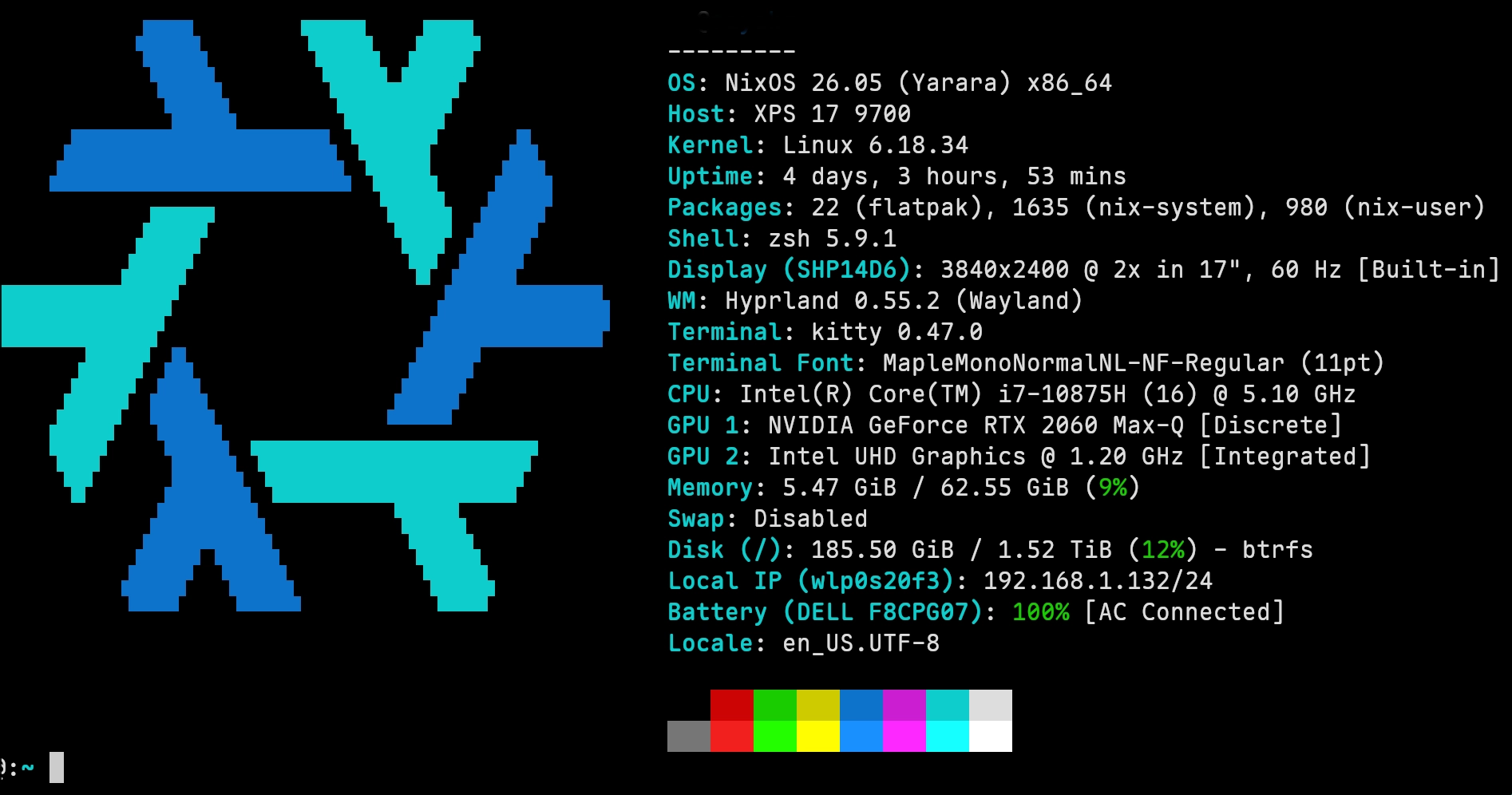
NixOS on Dell XPS17-9700
Making Modifications
One of the great features of NixOS is that it is easy to make modfications. For instance, I wanted to install a few additional servers onto my Raspberry Pi. Within I few minute I had added a git server, an http (web) sever, and an S327 server (garage[^garage]).
Future Plans
I still have an old NAS running TrueNAS on an Intel NUC 5. I’m thinking of how to repurpose this machine, and of course install NixOS.
Now if only there were a way to install NixOS on my iPad, I’d be a really happy camper!!
Summary
NixOS has spread like an infection throughout my home network. Why? Because it solves so many problems that I’ve been trying to solve.
With NixOS, I can:
- Declare my entire network configuration using text files, so that I can easily configuration manage and reproduce the servers.
- Create a reproducible development environment which is identical across multiple machines (laptops, VMs, etc)
- Create multiple systems that share an identical login environment (same shell configuration, same aliases, same environment variables, same tools, etc).
- Create a template VM that I can use to fast deploy additional pre-configured VMs
- Manage secrets across multiple systems (NixOS doesn’t do this directly, but it is easy with the sops-nix add-on).
- Reboot to previous configuration in case my tinkering trashes the system
- Experiment with various tools without making permanent changes to the system
- Use a single build machine that deploys OS configuration changes onto a remote machine (example; build a VM image on my laptop then deploy that VM onto my NUC 13 server).
Why You Should NOT Use NixOS
I have presented all the reasons I love NixOS, and think it may be the perfect operating system for me. But, there are a lot of reasons that NixOS may not be the perfect operating system for everyone.
- Nix has a very big learning curve. The learning curve is huge compared to any other Linux Distribution that I’ve used. That said, I’m a retired engineer with lots of time and looking for challenges.
- Nix documentation is voluminous and poor. The official documentation feels incomplete and is hard for newbies to read (lots of new terms are used without explanation). The web is filled with tutorials, wikis, blog posts, etc. But which to look at? And which are up to date with how Nix works today?
- You need to learn the Nix language, which is significantly different from other programming languages I’ve used.
- NixOS is not posix-compliant.
- NixOS safely locks away configuration files in the Nix store (“store” as in storage, not as in shopping). So, you can’t follow non-NixOS instructions for how to install a server, because these will not be applicable. For instance, the NixOS “/etc” directory (where configuration files are typically stored) is almost empty. Much of your existing knowledge about configuring Linux is no longer useful.
- Nix provides multiple ways to accomplish the same task. For instance, Nix has a very useful feature called “flakes”. Everyone seems to use this feature, yet it is considered “experimental” and thus subject to change. I normally avoid experimental features. Should I use flakes or not?
- Did I mention that the documentation stinks? Even https://search.nixos.org often points to outdated information.
How I’ve Worked Around These Issues
- 45 years of experience as a software engineer.
- Good debugging skills (in my humble opinion)
- I searched Github28 for examples of other user’s configurations, read through them, and studied them.
- I read the source code (on Github) for packages that I was installing, because their online documentation did not match the current implementation or their online documentation was poor. Source code is truth!
- I made ample use of ChatGPT, which was extremely helpful. But it also can get tripped up by package interfaces that have changed over time (i.e. it tells you how to configure an old package version but not the current one). That said, ChatGPT has been an enormous helper on my Nix journey.
- Reading package source code in GitHub. Once you get used to the structure of a NixOS package, reading the source to determine how to set various options is not that hard.
Conclusion
NixOS appears to be the solution that I’ve been searching for. Over several months, it has taken over my home network and most of my systems. But it is not for everyone. If you want to experiment with NixOS, I suggest finding some good templates on Github, and experiment with VMs before installing NixOS onto a live system.
Good luck with your NixOS journey! But beware, once you try NixOS, it may infect your home network too!
-
NAS is “network attached storage”. It is a device where files are stored, and can then be accessed from multiple devices within your home. Dedicated NAS devices are available for purchase, but I decided to build my own with a spare Raspberry Pi and SSD. ↩︎
-
A Raspberry Pi is a small, inexpensive (at least it used to be inexpensive!) ARM-based computer, suitable for running simple applications or servers. ↩︎
-
SSD is “solid state drive”. It is essentially a hard drive (place to store files) on a chip – no moving parts. The price of SSDs skyrocketed in late 2025, because the rapid buildout of data centers for AI is consuming most of the supply of SSDs (and memory). I fortunately bought at 8 TB SSD before the price skyrocket. Buying the same SSD today would cost 3X what I paid for it a year ago. Insane and very frustrating! ↩︎
-
Ubuntu is a very popular Linux distribution (which consists of the Linux operating system as well as packages and programs that work with it). It is used on desktops, laptops, and servers. ↩︎
-
ZFS is “Zettabyte File System”. It is a very advanced file system (somewhat comparable to BTRFS) that can be used with Linux but unfortunately is not included in most Linux distributions due to licensing issues. It is by far my favorite Linux file system. ↩︎
-
NFS is “Network File System”. Most file systems work only on the computer that they are running on (the computer that has the SSDs installed). NFS however, exports portions of the local file system to the network so that other computers can access the local computer’s files. It is thus a great file system for building a Network Attached Storage device. ↩︎
-
A directory stored on a computer that has been exported by NFS and thus the contents of that directory can be accessed by other computers on the local network. ↩︎
-
Git is a configuration management program. Software is created from set of source code files (for instance, the Retired Engineer blog consists of 3208 separate files). Git archive old versions of each file so that they can be retrieved. It also allows a set of files to be grouped together and tagged. So, for instance, I can use Git to retrieve the state of my blog’s 3208 files at the time that this post was made. I can also retrieve the set of files that the blog was in when I made my last post (about mushrooms. Git helps you not lose work, and allows you to rollback to a “known good” state. Configuration management is an extremely useful tool for software developers. ↩︎ ↩︎ ↩︎
-
A Virtual Machine is a software (and hardware) emulation of a physical machine. A physical machine (such as my NUC 13) can run multiple virtual machines. Virtual machines could run different Linux distributions (for instance, one VM might run Unbuntu while another runs Red Hat). Each VM can be configured with a specified amount of RAM, disk space, network interface, etc. VMs thus provide lots of flexibility compared to setting up physicl hardware. VMs also provide isolation – by default, a VM can access only its own resources. This is ideal for separating untrusted programs from the rest of a system. ↩︎ ↩︎ ↩︎
-
An Intel NUC is a small computer (13 gen is 117mm by 112mm x 37mm) with a processor, memory, SSD in a very compact form factor. Intel no longer makes these (I bought my NUC 13 just before Intel got out of the NUC business). I have observed that there are two types of Home Labbers – those with huge server racks and tons of power consumption, and those who have powerful setups in small packages. I am part of the second group, mostly because I pay an electric bill every month that has gone up by about 25% from last year. ↩︎ ↩︎
-
A package manager allows a user to install (or remove) a software package. For instance, in Ubuntu, the “apt” package manager is used to install the program “git” with the command:
apt install git. ↩︎ -
A configuration file is a text file that is edited by the user to configure a portion of the Linux operating system. Config files tend to be scattered throughout the Linux OS. They are typically not configuration managed. ↩︎
-
RAM is Random Access Memory. RAM stores data while you computer runs (that is, when it is powered on). The contents of RAM disappear when the computer is powered off (unlike an SSD which retains its contents when powered off). RAM is much, much faster than SSDs. The price of RAM skyrocketed in late 2025 along with the price of SSDs due to the AI datacenter buildout. ↩︎
-
LUKS is Linux Unified Key Setup (everyone just calls it LUKS). It allows the contents of an SSD to be encrypted. If you encrypt the portion of the SSD that contains the operating system (that portion is called a “partition”), the operating system will refuse to boot until the partition is unlocked. A partition can be unlocked by a password entered by the user, by a key stord in a TPM (security device embedded in the computer), by a security key (such as a Yubikey), and by several other less popular methods. For my laptops running NixOS, I have encrypted the primary partition (which holds the OS as well as my data) using LUKS, and it can be unlocked either by a security key or by a LONG password. ↩︎
-
Hyprland is one of many desktops that can be run on Linux (somewhat similar to the Windows desktop – except there you only get one choice). Hyprland is a dynamic tiling window manager. This means that desktop windows don’t lay on top of each other and cover each other. Instead, Hyprland arranges the windows on the desktop so you can see all of them at once. Hyprland also allows multiple desktops to be created (each with multiple windows). In my Hyprland setup, I can switch between multiple desktops by pressing Cmd-1, Cmd-2, Cmd-3, etc. Super-convenient and quick to work with. I rarely use a mouse when working with Hyprland (the mouse slows me down). ↩︎
-
A communications protocol that describes how display servers and programs talk to each other. It is slowly replacing the ancient X11 window system that Linux/Unix computer have run for many, many years. ↩︎
-
Flatpaks are a method of packaging Linux software so that it is isolated (“sandboxed”) from the remainder of the system. They are mini virtual environments (see Virtual Machine discussion below) that run a single application. Have you ever wanted to install an application but were afraid that it might mess up your system? And you weren’t sure that you could easily get rid of it if you didn’t want it? Flatpaks solve this problem. On my laptop, I have a flatpak for Brave (web browser), Vivaldi (web browser), Calibre (ebook manager), Steam (gaming), and Remmina (remote desktop). You can learn more about Flatpaks at https://flathub.org. ↩︎
-
Incus is software that allows the creation of Virtual Machines9 and Linux Containers (a lightweight virtual machine). It is forked from Ubuntu’s LXC/LXD project. I use Incus because the original developer of LXC/LXD has moved to the Incus project. I run Incus on top of NixOS running on a 13th Gen Intel NUC10. ↩︎
-
Podman runs an application in a container, which is lightweight virtual machine9. Containers also provide isolation but not at the same level as a virtual machine. A major use of containers is to easily run a server. For instance, a single podman command can run a web server or a database. Containers typically run a single application, while a virtual machine runs an operating system. I run multiple podman containers within a virtual machine that runs on physical hardware. Why? Sounds like a good idea for a blog post! ↩︎
-
IncusOS is an operating system that runs Incus. It is intentionally not configurable and locked down. It is ideal for production environments. It was not ideal for my homelab because I tend to use a single physical machine for multiple purposes. ↩︎
-
Podman Quadlets are a method for deploying podman containers using systemd (the Linux services manager). ↩︎
-
Secrets are anything that you don’t want to be made public. Your password is an example. For a system with multiple servers, there are often multiple passwords to manage as well as various keys and other items that need to be kept secure. SOPS/AGE encrypts a file containing secrets so that it can be stored in a public git repository. It then decrypts the secrets when starting a server application. ↩︎
-
Bash is popular Linux command shell. Multiple commands can be stored in a single file called a “script”. ↩︎
-
Ansible is a language for configuring remote machines. It is declarative in that Ansible scripts can be configuration managed. With Ansible, you create recipes (scripts) for how to get a server into a specific state. The scripts execute sequentially. ↩︎
-
Puppet is a tool that places a set of computers into a known configuration using a server/client architecture. The server periodically checks the state of machine by communicating with the client, and if a server drifts from the expected state (someone logs in and manually changes something), the server will tell the client how to get that server back into the proper state. ↩︎
-
S3 is a cloud-based object storage service originally developed by Amazon. It has become a standard way of storing files on the Internet. Many programs are able to read/write S3 object stores. I use my own S3 server to store backups created by Restic, my backup program. Since the S3 protocol is used by many cloud-based storage services, I can easily do off-site backups in addition to local backups. [^garage] Garage is an open source S3 server. ↩︎
-
Github is a web-based git8 repository. Many open source software projects (including NixOS) store their source code on Github. The source code for this blog is stored in a private repository on Github. ↩︎